GoldSim Modules
Take Advantage of GoldSim's Extension Modules to Address Specialized Applications
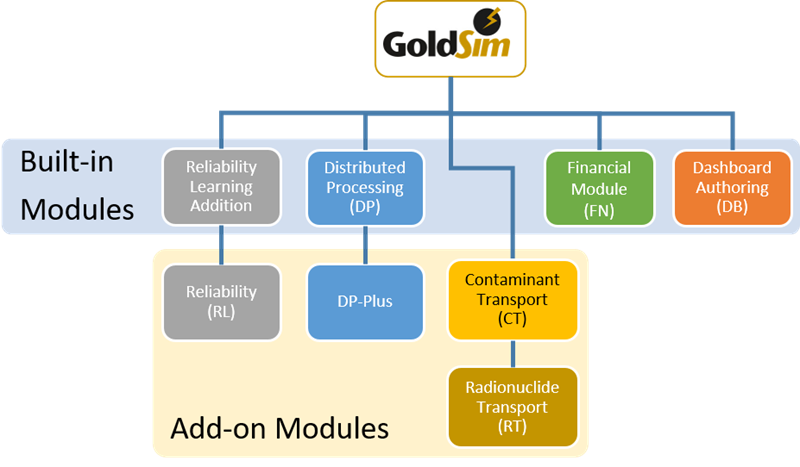
 GoldSim was designed using a modular framework that allows each user to customize their GoldSim package to provide exactly the functionality they need. To support this, several specialized GoldSim extension modules provide additional features or functionality for particular applications. The following modules are currently available:
- The Financial Module facilitates simulation of financial instruments and processes and risk analysis for business and financial systems.
- The Reliability Module facilitates risk and reliability analysis for complex engineered systems. Two versions (Learning Edition and Professional) are available.
- The Contaminant Transport Module allows you to simulate the transport of contaminants in the environment. In addition to the standard module, an advanced version of this module (to support radionuclide transport) is also available.
- The Distributed Processing Module allow you to work more efficiently by running GoldSim models on multiple processors (typically, across a network). Two versions of this module are available (and are differentiated by the number of processors that can be accessed).
- The Dashboard Authoring Module allows you to design and construct a "dashboard" interface for your models.
Some of these modules are included with all Versions of GoldSim. Others are add-on modules that can be purchased separately.